
Logging in to your Daman Game account should take less than a minute, but many players still run into snags — a blank OTP field, a login page that won’t refresh, or an account that suddenly asks for verification again. This guide walks through the entire login process from start to finish, explains how the OTP system works, and covers the most common access issues along with practical fixes, so you can get into your account quickly and keep it secure.
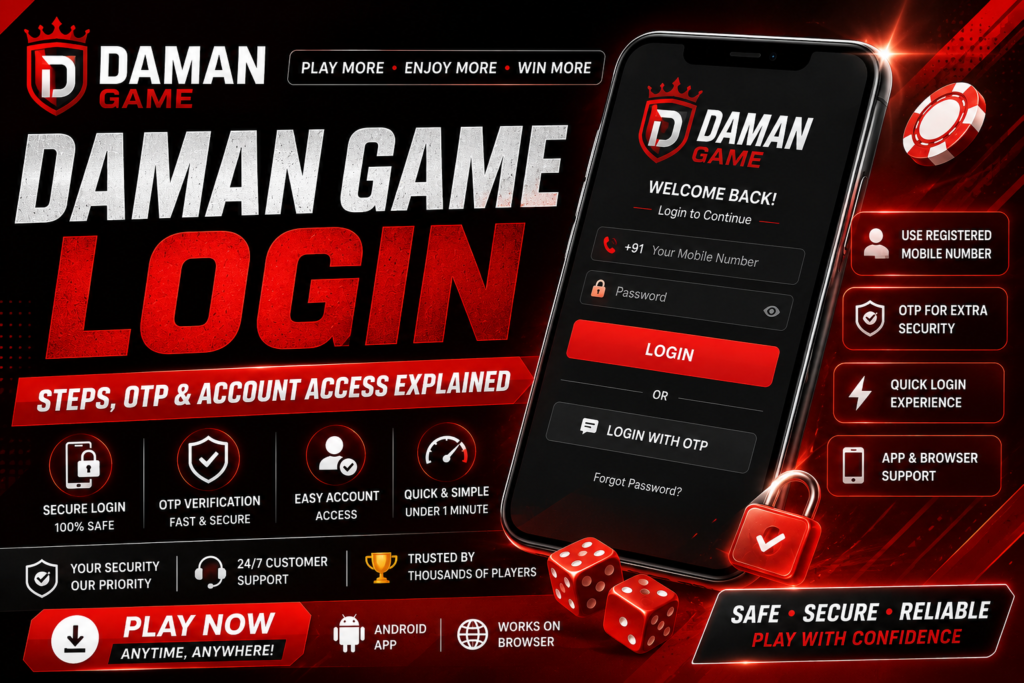
Why the Login Process Matters
Daman Game, like most online gaming platforms operating in the real-money and color prediction space, uses a mobile-number-based login system instead of traditional email-and-password combinations. This approach exists for a simple reason: your mobile number is tied to your identity, your wallet, and your transaction history. A secure, verified login step protects your account balance, your personal data, and your gameplay history from unauthorized access.
Understanding exactly how this process works — and where it can go wrong — saves you time and reduces the chances of getting locked out during a session when you actually want to play.
Before You Log In: What You Need
Getting through the login screen without interruption is mostly about preparation. Before you open the login page or app, make sure you have the following ready:
- The mobile number you originally registered with — this cannot be swapped casually, so use the same SIM or number you signed up with.
- Active network access on that number, since the One-Time Password (OTP) arrives via SMS.
- A stable internet connection on the device you’re using to log in.
- The correct, official login URL or app — always double-check the domain or app source before entering any credentials.
Step-by-Step: How to Log In to Daman Game
The login flow is designed to be short. Here’s the full sequence from opening the platform to landing on your dashboard.
Step 1: Open the Official Login Page or App
Navigate to the platform’s official website or open the installed app. Avoid clicking login links shared through unofficial channels, since lookalike pages are a common way accounts get compromised. If you’re using the app, make sure it’s updated to the latest version, as older builds sometimes have outdated OTP-handling logic.
Step 2: Enter Your Registered Mobile Number
On the login screen, you’ll see a field asking for your mobile number. Enter the exact number linked to your account, including the correct country code if the field requires it. A single incorrect digit is the most common reason an OTP never arrives, so it’s worth double-checking before you tap continue.
Step 3: Request the OTP
After submitting your number, tap the button to send the OTP (usually labeled “Get OTP” or “Send Code”). The system generates a six-digit code and sends it via SMS to your registered number. This typically arrives within 10 to 30 seconds, though delivery time can vary depending on your network carrier and signal strength.
Step 4: Enter the OTP
Open your messages app, copy the six-digit code, and enter it into the OTP field on the login screen. Many apps support auto-fill, where the OTP is detected and entered automatically as long as you’ve granted SMS permissions — this is worth enabling since it removes a manual step and reduces typing errors.
Step 5: Confirm and Access Your Dashboard
Once the correct OTP is entered, tap “Verify” or “Login.” The system checks the code against what it sent, and if it matches, you’re taken straight to your account dashboard, where you can see your wallet balance, game history, and available options.
Understanding the OTP System
OTP-based login exists to confirm that the person logging in actually has access to the registered phone, not just knowledge of the account number. It’s a form of two-factor verification built directly into the login step rather than added afterward.
A few technical details are worth knowing:
- OTPs are time-limited, usually expiring within 2 to 5 minutes of being sent.
- Each OTP is single-use — once verified, that exact code cannot be reused for a future login.
- Requesting a new OTP invalidates the previous one, so if you request a second code, only the latest one will work.
- Repeated failed OTP attempts can temporarily lock the login option for that number as a security measure.
Common Login Problems and How to Fix Them
Even a simple login flow can run into friction. Below are the issues players report most often, along with practical steps to resolve each one.
OTP Not Received
If the code doesn’t arrive after a minute or two, check the following before requesting a new one:
- Confirm your phone has active network signal and isn’t in airplane mode.
- Check that your SMS inbox isn’t full, and look in any spam or blocked-messages folder.
- Make sure the number entered on the login screen exactly matches your registered number.
- Wait at least 60 seconds before requesting a resend, since spamming the request button can trigger a temporary cooldown.
“Invalid OTP” Error
This usually happens when the code has expired, when a digit was mistyped, or when a newer OTP was requested after the old one was already generated. Request a fresh OTP, enter it promptly, and avoid switching between apps while waiting, since some devices delay auto-fill notifications when the app loses focus.
Account Temporarily Locked
After several incorrect OTP attempts in a short window, the system may apply a short lockout to prevent brute-force guessing. This is a security feature, not a sign that your account has been compromised. Waiting the specified cooldown period (commonly 15–30 minutes) and trying again with the correct number usually resolves it.
Changed or Lost Mobile Number
Since login is tied to your original registered number, losing access to that SIM is the most disruptive issue you can face. In this situation, look for an account recovery or “change registered number” option within the platform’s support or settings section, which typically requires identity verification through your existing transaction or account details before the number can be updated.
App Won’t Load the Login Screen
If the app hangs before you even reach the OTP step, try clearing the app’s cache, confirming you’re on a current version, and checking your internet connection. Reinstalling the app is a reliable last resort if a partial update or corrupted cache is the culprit.
Keeping Your Account Secure After Login
Getting in is only half the picture — protecting your account afterward matters just as much, especially on a platform tied to a real-money wallet. A few habits go a long way:
- Never share the OTP you receive with anyone, including people claiming to be support staff — legitimate support will never ask for it.
- Log out of shared or public devices after every session.
- Keep your registered mobile number active and avoid letting the SIM lapse or get reassigned.
- Review your login and transaction history periodically to catch any unfamiliar activity early.
- Avoid saving OTPs or account details in unprotected notes apps or shared documents.
Logging In on Multiple Devices
Many players switch between a phone and a browser depending on where they are. The mobile-number-and-OTP process works the same way regardless of device, since the OTP is sent to your phone either way, not tied to the device you’re logging in from. That said, avoid staying logged in on devices you don’t personally control, since the dashboard exposes both your wallet and gameplay activity once you’re past the OTP step.
Login vs. Registration: Knowing the Difference
It’s worth separating login from registration, since new players sometimes confuse the two and end up stuck. Registration is a one-time process where you create your account by entering your mobile number for the first time, verifying it with an OTP, and setting up any required profile details. Login, on the other hand, is the repeated process you go through every time you want to access an account that already exists. If you enter your number on the login screen and the system doesn’t recognize it, that usually means you haven’t registered yet with that number, rather than a login-specific error — in that case, look for a “New user? Sign up” or “Register” link instead of retrying the login form.
Browser Login vs. App Login
Some players prefer using a mobile browser instead of installing the app, whether to save storage space or to access the platform from a shared or work computer. The core login mechanics — mobile number, OTP, verification — are identical across both, but there are a few practical differences worth knowing.
- Browser sessions typically expire faster than app sessions, so you may be asked to log in again more frequently.
- Auto-fill for OTPs works reliably on most Android browsers but is less consistent on desktop browsers, where you’ll need to manually check your phone and type the code.
- Bookmark the official login URL rather than searching for it each time, since search results can surface outdated or unofficial mirror pages.
- Clearing browser cookies will log you out and may require a fresh OTP verification the next time you visit.
Why OTP Delivery Sometimes Lags
SMS delivery isn’t instantaneous, and delays are usually caused by factors outside the platform’s control rather than a problem with your account. A few common causes worth knowing about before you assume something is broken:
- Carrier-side congestion, particularly during peak evening hours when SMS traffic across networks is highest.
- Do Not Disturb (DND) settings registered with your telecom provider, which can block promotional or transactional SMS categories depending on how they’re configured.
- Weak signal or being in a low-coverage area, which delays SMS delivery the same way it delays calls.
- Switching SIM cards recently, which can take a short window for full SMS routing to stabilize on some networks.
If delivery is consistently slow or absent, contacting your mobile carrier to check your DND and SMS settings is often more effective than repeatedly requesting new codes from the platform.
Getting Help When Login Issues Persist
If you’ve worked through the troubleshooting steps above and still can’t get into your account, the next step is reaching out through the platform’s official customer support channel — typically listed within the app’s help or settings section, or on the official website’s contact page. When you do reach out, having a few details ready speeds up the process considerably:
- Your registered mobile number (do not share your OTP itself with support).
- A brief, specific description of the error, including any error message text you saw on screen.
- The device and app version, or browser, you were using when the issue occurred.
- Roughly when the issue started, especially if it followed a SIM change, app update, or password reset attempt.
Providing this information up front — rather than just saying “I can’t log in” — usually cuts resolution time down significantly, since support won’t need to go back and forth asking for basics before they can actually investigate.
Frequently Asked Questions
Can I log in without OTP verification?
No. OTP verification is a required step for every login, since it confirms access to the registered mobile number and protects the account from unauthorized entry.
How long does an OTP stay valid?
Most OTPs expire within a few minutes of being sent. If you wait too long to enter it, you’ll need to request a new one.
What should I do if I never receive any OTP at all, even after multiple attempts?
Double-check the registered number for accuracy, confirm your device has signal, and if the issue persists, reach out through the platform’s official support channel, since this can indicate a delivery issue on the carrier side or an account-level flag.
Is it safe to enable OTP auto-fill?
Yes, auto-fill simply reads the incoming SMS to populate the field automatically and doesn’t expose the code anywhere else. It’s a convenience feature, not a security risk, as long as you’re using the official app.
Final Thoughts
The Daman Game login process is built around a straightforward idea: confirm the person logging in controls the registered phone number, then let them straight into their account. Most login issues come down to a handful of predictable causes — a mistyped number, an expired code, or a temporary network hiccup — and nearly all of them are quick to fix once you know what to check. Keeping your registered number active, protecting your OTPs, and logging out on shared devices will keep your account both accessible and secure every time you sign in.
Pingback: Daman Game Overview